• Sunday 10am - 4pm
  • Monday CLOSED
  • Tuesday 10am - 6pm
  • Wednesday 10am - 6pm
  • Thursday 10am - 6pm
  • Friday 10am - 6pm
  • Saturday 10am - 5pm

Navigating the New Harley Davidson Infotainment System

Posted by Sherry Long

Nov 3, 2026, 9:00:00 AM

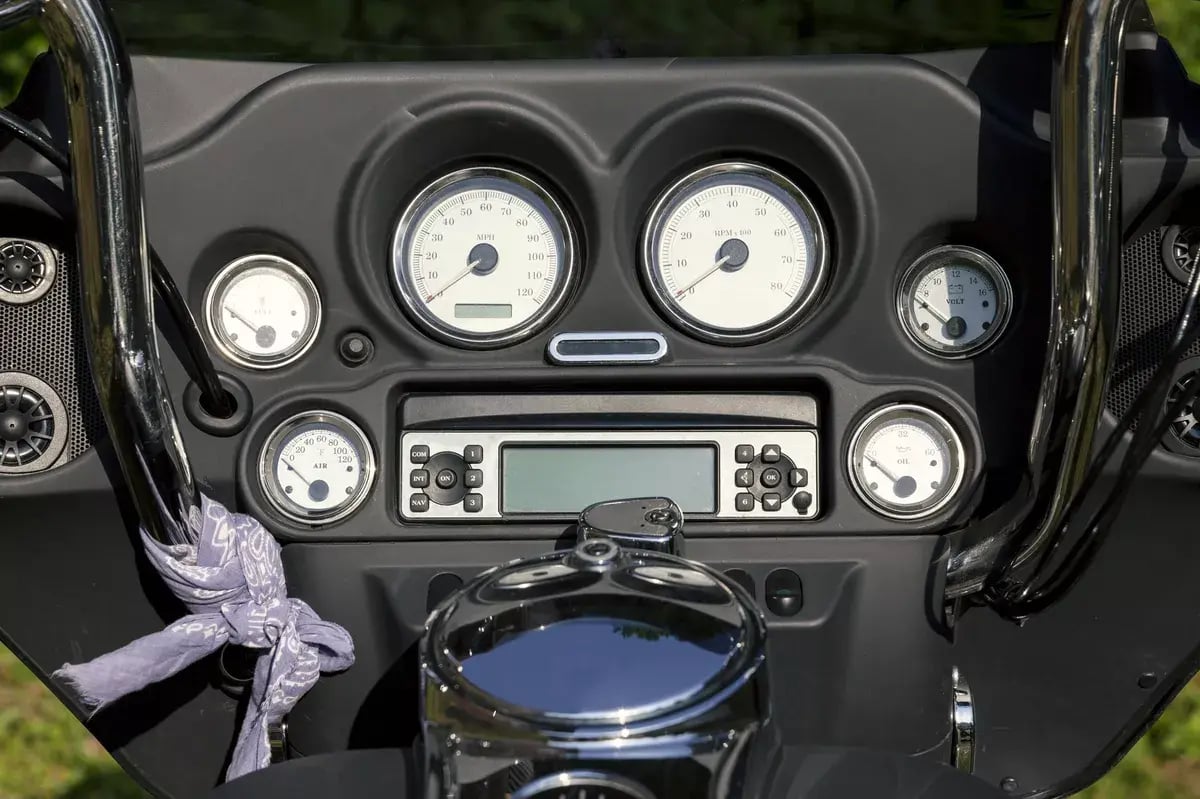
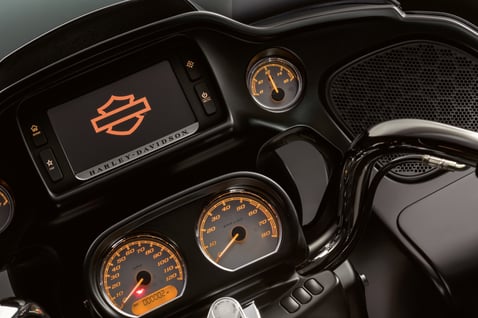
Instrument panel on a motorcycle close up

TL;DR: The latest Harley Davidson infotainment system brings modern technology to the open road, offering enhanced navigation, entertainment, and connectivity features. In this guide, you'll discover how to navigate the Skyline™ OS, customize your settings, and make the most of your riding experience.

  • Understanding the Controls: Learn how to navigate the touchscreen display, access essential features, and use convenient handlebar controls.
  • GPS Navigation and Route Planning: Discover how integrated GPS and Harley-Davidson Ride Planner can help you map out your next adventure.
  • Music and Bluetooth Connectivity: Explore modern audio features that build on boom audio for Harley Davidson motorcycles, including music controls and device pairing.
  • Software Updates and Customization: Learn how a Harley Davidson infotainment system update can improve performance and how to personalize your settings.
  • Expert Assistance: Visit Indianapolis Southside Harley-Davidson for help exploring the latest infotainment features and finding your next motorcycle.

Harley-Davidson has always been about freedom, adventure, and the thrill of the open road. With advancements in motorcycle technology, staying connected while riding has never been easier. The latest Harley Davidson infotainment system brings modern technology to the iconic Harley-Davidson riding experience, offering intuitive controls, advanced navigation, and seamless connectivity to help you make the most of every journey.

Building on the success of the Harley Davidson Boom Box infotainment system, the newer Skyline™ OS introduces an updated interface, enhanced features, and greater customization options on compatible models. Whether you're planning a cross-country adventure, listening to your favorite playlist, or navigating unfamiliar roads, these features are designed to make every ride more convenient and enjoyable.

In this guide, we'll explore the key features of Harley-Davidson's latest infotainment technology, walk you through essential controls, and share practical tips to help you get the most out of your system. Whether you're a longtime Harley-Davidson enthusiast or new to the brand, Southside Harley-Davidson is here to help you ride with confidence and stay connected wherever the road takes you.

Introduction to the New Harley-Davidson Infotainment System

Harley-Davidson continues to bring modern technology to the open road with its latest infotainment system. Powered by Skyline™ OS on select models, this advanced system combines navigation, entertainment, and connectivity into one easy-to-use display. Whether you know it as the Harley Davidson stereo, HD stereo, or a plain old infotainment system, it's designed to do much more than play your favorite music. It helps make every journey more connected, convenient, and enjoyable.

With an intuitive touchscreen, customizable settings, and integrated navigation features, riders can easily access essential information while enjoying the freedom of the open road. Keeping your system current with a Harley Davidson software update can also help improve performance and provide access to the latest enhancements.

At Southside Harley-Davidson, we're here to help you explore these exciting features, understand the controls, and get the most out of your riding experience.

Getting Started: Understanding the Display and Controls

Getting familiar with your Harley-Davidson infotainment system is the first step toward a more connected riding experience. The latest Skyline™ OS features an intuitive touchscreen display that puts essential information, entertainment, and navigation at your fingertips. With easy-to-use menus and convenient handlebar controls, riders can access key features without unnecessary distractions.

Whether you're adjusting audio settings, checking your Harley Davidson GPS, or customizing your display, the system is designed to keep things simple. Riders familiar with Boom Audio for Harley Davidson motorcycles will appreciate how the newer technology builds on previous systems while offering improved functionality and a modern interface.

Before hitting the road, take some time to explore the different menus, adjust your preferred settings, and get comfortable with the controls. Understanding these features will help you enjoy a smoother, more convenient riding experience while keeping your focus where it belongs: on the open road.

Using GPS Navigation and Route Planning

Whether you're heading out for a weekend adventure or exploring unfamiliar roads, the Harley Davidson GPS makes planning your next journey easier than ever. With integrated navigation features on compatible models, riders can access maps, directions, and essential route information directly from their infotainment display, helping them stay on track wherever the road leads.

Before setting off, riders can enter their destination, explore different routes, and enjoy turn-by-turn navigation. Harley-Davidson's Ride Planner also allows you to map out scenic rides, discover new destinations, and organize stops along the way.

To keep your navigation running smoothly, it's important to check for a Harley Davidson software update when available. Regular updates can improve system performance and enhance functionality. With the right tools and a little preparation, navigating your next adventure becomes simpler, letting you focus on enjoying the ride.
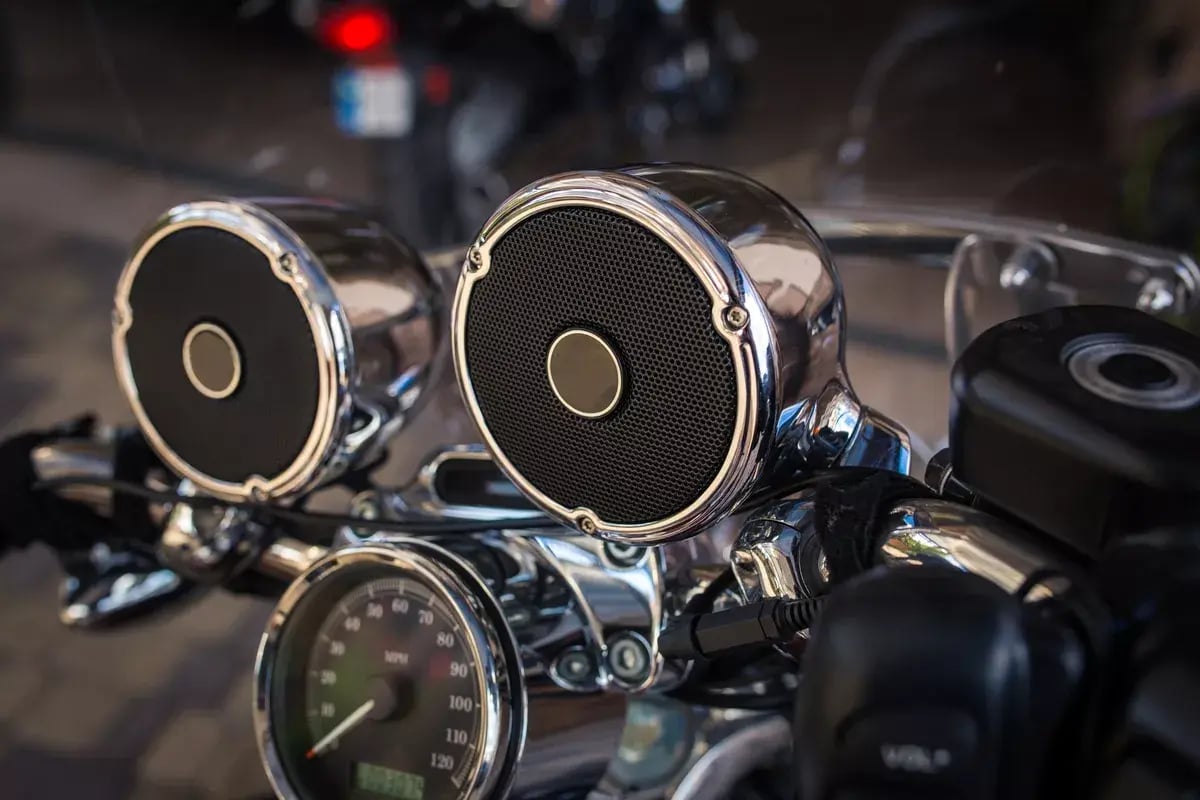
Steering wheel with music speakers on a motorcycle

Connecting Your Phone, Music, and Bluetooth Devices

Every great ride deserves the perfect soundtrack, and Harley-Davidson's latest infotainment system makes staying connected easier than ever. With Bluetooth connectivity, riders can pair compatible smartphones, headsets, and other devices to enjoy their favorite music, access entertainment features, and stay connected while riding.

Building on the popular Harley Davidson Boom Box infotainment system, the newer Skyline™ OS offers enhanced audio controls and connectivity options on select models. Riders can easily adjust volume, switch between audio sources, and manage music using the touchscreen display or convenient handlebar controls. Compatible models also support Apple CarPlay, providing access to additional entertainment and communication features when properly connected.

Before hitting the road, take a few minutes to pair your devices and customize your audio preferences. With the right setup, you can enjoy your favorite playlists and a more connected riding experience.

Tips for Getting the Most Out of Your Infotainment System

Getting the most out of your Harley-Davidson infotainment system starts with understanding its features and keeping everything running smoothly. Whether you're customizing your display, adjusting audio settings, or planning your next adventure, a few simple tips can help enhance your overall riding experience.

One of the best ways to maintain optimal performance is by checking for a Harley Davidson infotainment system update. Keeping your software current can help improve functionality, address potential issues, and ensure you're enjoying the latest available features. It's also worth taking time to explore your system's settings, connect compatible devices, and save your favorite navigation destinations before heading out.

If you have questions or need assistance, the team at Southside Harley-Davidson is here to help.

Experience the Ride with Harley-Davidson's Latest Technology

Harley-Davidson's latest infotainment system brings together innovative technology and the freedom of the open road, making every ride more connected and enjoyable. From GPS navigation and Bluetooth connectivity to personalized entertainment and easy-to-use controls, these features are designed to enhance your riding experience without taking away from the thrill of the journey.

Whether you're upgrading your current motorcycle or exploring the latest Harley-Davidson models, Indianapolis Southside Harley-Davidson is here to help you discover the technology that fits your riding lifestyle. Our knowledgeable team can walk you through the latest features, answer your questions, and help you find the perfect motorcycle for your next adventure.

Ready to experience the latest Harley-Davidson technology for yourself? View our New Harley Davidson inventory.
Topics: Audio, GPS & Tech


8 Solutions To The Most Frequently Asked Infotainment System Questions

Posted by Sherry Long

Jun 27, 2018, 5:54:45 PM

There's nothing nearly as refreshing as cruising down a long stretch of country road on your Road Glide®- or any HarleyDavidson® touring bike- while blaring your favorite tunes and breathing in the scenic landscape. While the wind-splitting adrenaline and natural wonder alone can be enough to satisfyyour craving for freedom, Harley-Davidson leaves riders no room for hunger with the factory-standard Infotainment System on select touring models.

Harley Davidson InfotainmentIn typical H-D® fashion, the Boom!™ Box Infotainment System was designed to enhance the riding experience by bringing together modern bluetooth capabilities and a sophisticated navigation system into one convenient package. But with so much to offer, riders can sometimes be overwhelmed with the vast assortment of features and options.

When you purchase a Harley-Davidson touring bike, you’re making an exciting investment, and the last thing we- here at Southside Harley-Davidson- would want is for you to miss out on some of the Infotainment system’s most beneficial features hidden right under your nose. That’s why we’re going to take some time to address some of your most frequently asked questions about the system in the following how-to guide.

First, keep in mind that there are two Boom! Box Infotainment models available. You’ll notice that the 6.5 model comes equipped with navigation, which we will be discussing below. The 4.3 model isn’t equipped with navigation, but we’ll also be digging in to some of the coolest bluetooth features of the Infotainment System, which will apply to both models.

1. How do I enter an address into my navigation system?

We’ve received quite a few questions regarding this particular topic here at ISSHD. That’s because entering the address of your destination is a bit different on the Infotainment System. Many GPS systems are designed for users to key the desired address in the format of street number > street > city > state. But the Infotainment navigation system was designed for address entry in the reverse format, state > city > street > street number.

You may be wondering why the system was designed this way. Well, the Infotainment navigation system will auto-populate your state first, recognizing your current GPS location. This makes it easier for the system to auto-populate your most probable intended destination.

2. How do I find nearby points of interest?

If you’re on the road and you’re ready to fill up your tank
(or your stomach), Infotainment makes it easy for you to find nearby locations by choosing from more than 65 point of interest categories. You simply select
POI from the main navigation menu, and then select category. You can even select Spell Name to manually enter a POI category, such as “gas,” “food,” or “hotel.”

If your system is already navigating to a specific destination, you can search a POI around that area, or you can select Near Your Location from the POI menu to find what you’re looking for nearby or along your current route.

Another cool POI feature is the Dealerships category, which is easily accessible on the main navigation menu. This tool utilizes your current GPS location to populate a list of Harley-Davidson dealerships nearest to you with just one touch. Let’s see your Garmin do that.

The POI menu is full of handy little features to help you find and navigate to any place you’d like to go. Don’t be afraid to take some time to play around and get acquainted with the system.

3. Is there a cost to use the Infotainment navigation features?

No- there is absolutely no charge for using your Boom! Box navigation system. However, maps are updated annually and these updates are available for an additional charge. We recommend purchasing updates so your map data is up to date (there’s nothing worse than navigating to a nearby pub only to find out that they shut down a year prior). Talk to one of our Harley-Davidson Service Advisors for more information.                                          

4. How do I pair my Bluetooth compatible phone?

First, you’ll want to make sure that the Bluetooth option on your phone is turned on and that it is “discoverable.” Then, you’ll need to get to the Add New Device screen on your Infotainment system. You can get to this screen a few different ways, but the quickest will be to start from your home screen and select Com > Phone > List Paired Device > Add New Device.

At this point, the system will search for and populate a list of devices to connect with. Simply select the device you’d like to pair, and follow the prompts on the screen. Now, the system will likely ask you to confirm that both your phone and Infotainment system both display a matching PIN code.

Once you confirm this, you’ll be prompted to enter an emergency contact (you can opt out, if you wish), and- vaula!- you’re paired up and ready to go.

5. How do I stream music from my device through the Infotainment system?

Of course, you need some tunes to rock while you roll. Once you’ve paired your device, as described in the previous step, simply select Media from the home screen and select your device from the list. Now, just launch the app you wish to stream from your phone (Pandora, Spotify, etc.) and your music will stream through your Boom! Box audio system.

6. Why can’t I hear the music I’m streaming through my Infotainment system?

If you’ve followed each step properly, but you can’t hear your music through your Infotainment system, make sure the volume on your device is turned up to the loudest level. If not, music may not stream properly through your system.

7. Why can’t the person on the other end of my call hear me speaking to them?

In order to make and receive phone calls properly through your Infotainment system, you’ll need a compatible headset. Without one, you’ll be able to hear your contact through your Infotainment system, but they won’t be able to hear you. For the best quality and seamless compatibility, we recommend the Boom! Audio 20S Evo Bluetooth® Helmet Headset. Learn more about Bluetooth Headset Connectivity by watching the videos below, and don't forget to stop in or fill out the form below for more information regarding the best options for you!


Want more information? Ask one of our experts now!


8. Can my passenger also pair their Bluetooth device to the infotainment system?

Yes! Not only can you pair both the rider and passenger devices, but you can also designate each of the devices intended purpose through your Infotainment display. In other words, one device can be streaming music while the other can be used for phone calls.

Setting this up is as simple as pairing the second device (as described earlier). You can then assign the purpose for each of the devices on the List Paired Devices screen. On each of the paired devices, an icon will display whether that device is assigned to music or phone.

So, there you have it. If your specific question wasn’t addressed, we would love to hear from you and get you the answer you’re looking for!

Contact Us       

Topics: Audio, GPS & Tech


Helpful Motorcycle Tips for a Great Fall Road Trip

Posted by Sherry Long

Oct 22, 2014, 4:41:18 PM

Screenshot_2014-10-07_15.22.04

More and more riders are gearing up for their fall road trips. We get asked all the time for advice on what to bring, what to leave at home, how to pack a bike, and even where to go. So Indinapolis Southside Harley-Davidson offers some trusty tips on how to make your trip one worth remembering.


 What should I pack?

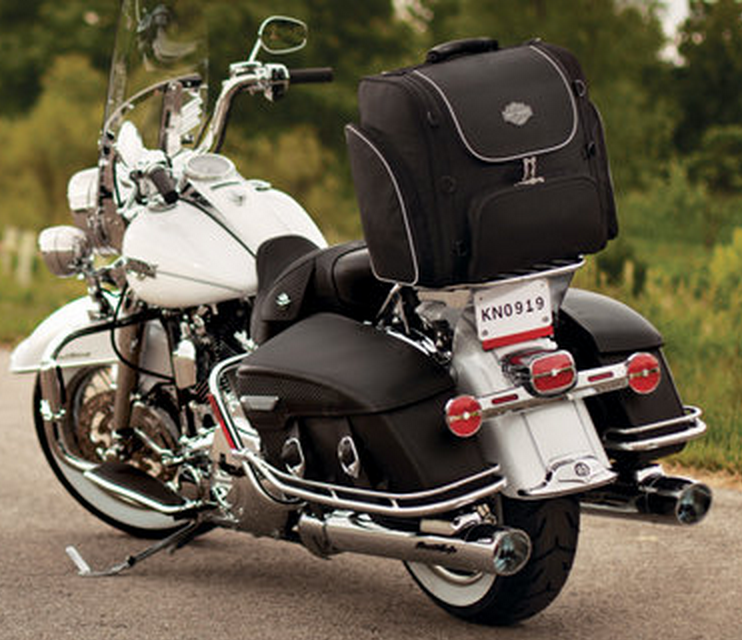
Harley-Davidson_Riding_GearIt seems like such a simple question, but it’s one without a specific answer. There really is no “right” way to pack for a motorcycle trip (though there are plenty of wrongs). It is more a matter of personal preference. Just like some campers choose a backpack while others prefer an RV, we see riders strap a duffel bag between their handlebars, pull trailers behind their Harleys, and everything in between.

Indianapolis Southside Harley-Davidson does have a few gear suggestions to consider:

  •       Lightweight synthetic clothingHarley road trip checklist
  •       Cold weather attire
  •       Rain gear
  •       Multi-tool
  •       Tire pressure gauge
  •       Flashlight or headlamp
  •       Extra batteries
  •       First aid kit
  •       Toiletries
  •       Sunglasses & sunscreen
  •       Maps or GPS
  •       Cell phone (don’t forget the ISSHD mobile app!)
  •       Phone charger
  •       Books & journal
  •       Laptop or tablet computer (if it fits)
  •       Drivers license
  •       Extra cash & credit cards

It likely goes without saying, but bring with you all the appropriate riding gear you need (helmet, leathers, gloves, boots, etc.), even if you don’t plan on wearing everything all the time. Remember that laws vary widely, so plan ahead before traveling over state lines.


How can I carry more on my bike?

Most motorcycle riders plan for what they’ll bring on a road trip, but many often forget about what they’ll pick up along the way. Thankfully, Harley-Davidson has several storage solutions.

 The Harley-Davidson Premium Luggage Collection includes a wide range of storage products to satisfy all of your road-tripping needs. Bring your bike out to Indianapolis Southside Harley-Davidson for a customized fitting by our parts & accessories pros. From saddlebags and travel bags, to luggage racks and anything in between, our team can create all the storage space you need, no matter how far you go or how long you’re gone.


Where should I go?

Located right here in Indianapolis, Southside Harley is the perfect starting point for any motorcycle trip. If you call central Indiana home, you know how easy it is to get to just about any place in the state in only a few hours. Want to go further? Visit our showroom and talk to a member of our team about great destinations all year long. 

Another great source of wisdom and friendly advice can be found within our local H.O.G. Chapter -  Indianapolis Southside Chapter of H.O.G. Harley Owners Group.  riders are a tightknit bunch and many are happy to share personal experiences to help you plan your ride. Visit our chapter website for membership info.

Fall is a favorite season for motorcycle road trips. Before you go, swing by Indianapolis Southside Harley-Davidson for the official H-D parts, gear, and service to keep you focused on the road ahead, not what you left behind. Have fun out there.


Don’t want to forget anything? Print this helpful pack checklist courtesy Harley-Davidson and
Indianapolis Southside H-D to make sure all your essentials go with you when it’s time to hit the road.

Topics: Service & Maintenance, Riding Gear & Apparel, Audio, GPS & Tech


Comments

About This Blog

For all Harley-Davidson motorcycle lovers. Subscribe to our blog to learn the best maintenance tips, Harley events going on in the Indianapolis area, best parts & accessories for your needs, and more!

Subscribe to Our Blog

Recent Posts

Request a Service Appointment!